Deploy Artifactory on NKS
NKS on HCI - Deploy Artifactory⌗
Import JFrog Helm Charts⌗
First, let’s add the JFrog repository to make the official Artifactory Helm charts available to deploy from NKS.
From the left-hand pane, select
My ChartsClick
+ Chart RepositorySet the name to
jfrogSet the Source URL to
https://charts.jfrog.ioClick
Next. NKS will verify the repository is accessible.Once access is verified, Click
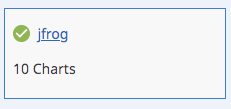
Importto create the repository.Back on the Chart Repositories page, NKS will start scanning the repository for Helm charts. After a few moments, we can see the charts have been imported, making them available for deployment to our cluster.


Configure and Deploy Artifactory⌗
- Create a new project, and assign it to your target cluster.
- Add a new solution to your new project
- Select the
Packagetype - At the chart selection screen, enter
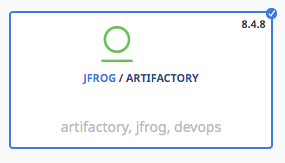
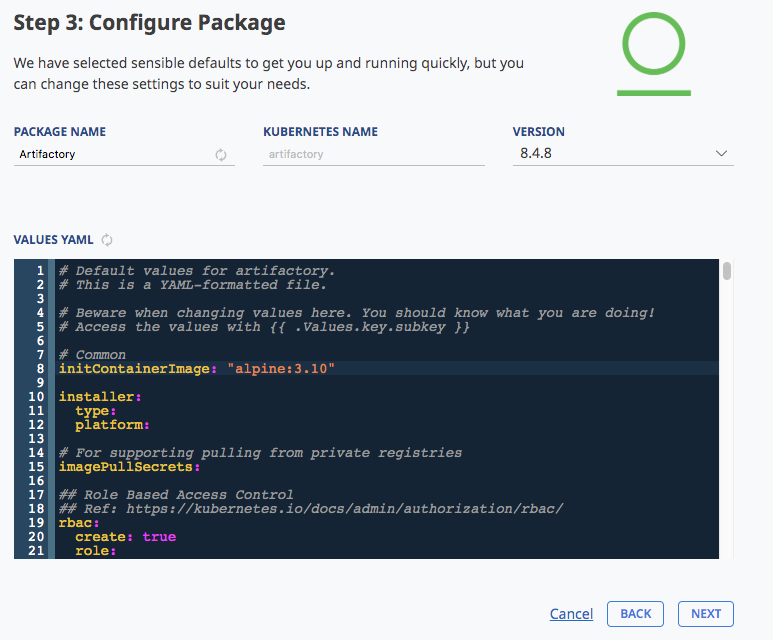
Artifactoryinto the search, and select the Artifactory chart from theJFrogrepo: - You should land on the configuration page:
Configuring Artifactory⌗
Now we’re ready to configure the deployment. We’ll base our configuration from the template defined here.
Ingress⌗
To configure the ingress controller, we just need our cluster id. The cluster id is the random prefix of the cluster nodes.
In this example, the cluster id is netp5fki6k.
~ kubectl get nodes
NAME                      STATUS   ROLES
netp5fki6k-master-1       Ready    master
netp5fki6k-pool-1-gqtkl   Ready    <none>
netp5fki6k-pool-1-trjhx   Ready    <none>
Replace <YOUR_CLUSTER_ID> in the template with your own cluster id.
ingress:
  enabled: true
  hosts:
    - artifactory.<YOUR_CLUSTER_ID>.nks.cloud
  path: /
  defaultBackend:
    enabled: true
  annotations:
    kubernetes.io/ingress.class: nginx
    ingress.kubernetes.io/proxy-body-size: "0"
    ingress.kubernetes.io/proxy-read-timeout: "600"
    ingress.kubernetes.io/proxy-send-timeout: "600"
    nginx.ingress.kubernetes.io/configuration-snippet: |
      rewrite ^/(v2)/token /artifactory/api/docker/null/v2/token;
      rewrite ^/v2/([^\/]*)/manifests/(.*) /artifactory/api/docker/$1/v2/docker/manifests/$2;
      rewrite ^/v2/([^\/]*)/blobs/(.*) /artifactory/api/docker/$1/v2/docker/blobs/$2;
  tls:
    - secretName: wildcard-cert
License key⌗
Next, configure the license key in the template:
note: make sure the entire key is indented under licenseKey:, as shown here
## Artifactory license.
  license:
    ## licenseKey is the license key in plain text. Make sure it is indented properly
    licenseKey: |-
      <---------------------------------------------------->
      <---------------------------------------------------->
      <---------------------------------------------------->
      <---------------------------------------------------->
      <---------------YOUR LICENSE KEY HERE --------------->
      <---------------------------------------------------->
      <---------------------------------------------------->
      <---------------------------------------------------->
      <---------------------------------------------------->
      <---------------------------------------------------->
Once the license and ingress are configured, paste it into the VALUES YAML field for the deployment:
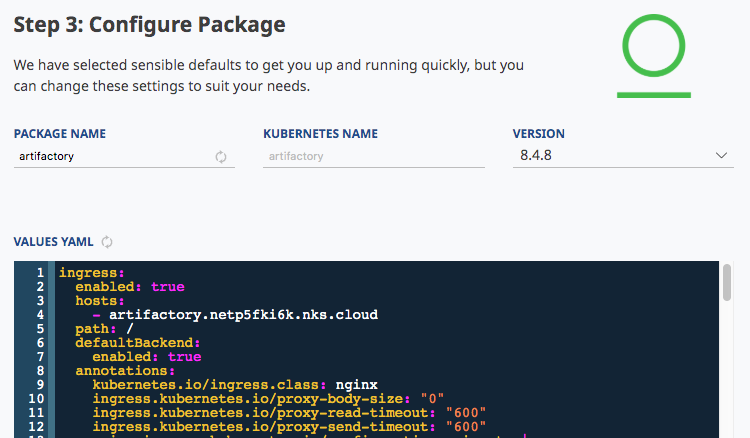
Click Next to review your settings, then click Create to deploy artifactory.
Creating a docker registry⌗
- Login to Artifactory as the admin user
- Default credentials are
admin/password
- Default credentials are
- Create a new local repository called
demo - In the creation dialogue, select
dockeras the package type.